

Download WinRAR – Powerful File Compression & Archiving Tool for Windows, Mac, and More
WinRAR is a leading archiving software trusted by millions worldwide for compressing and decompressing files with unmatched efficiency. Known for its support of RAR and ZIP formats, WinRAR delivers fast, secure, and reliable file management across multiple platforms. Whether you're a student, professional, or casual user, this tool simplifies file organization, reduces storage needs, and ensures safe data transfer.
The portable version, WinRAR for U3, is ideal for users who need quick access without installation. With continuous updates and strong encryption, WinRAR remains a top choice for secure file handling. Download WinRAR today and experience seamless compression, powerful extraction, and cross-platform compatibility.
Key Features of WinRAR – Why It’s a Must-Have Tool
WinRAR stands out in the world of file compression tools due to its robust feature set designed for both beginners and advanced users. One of its most notable features is its superior compression ratio, especially when using the proprietary RAR format. Compared to standard ZIP files, RAR archives often reduce file sizes by up to 10-15%, making it ideal for sharing large files over email or cloud storage. The software supports a wide range of formats, including RAR, ZIP, ISO, 7Z, and more, ensuring compatibility with virtually any archive you encounter.
Security is another major strength. WinRAR allows users to encrypt archives with AES-256 encryption, one of the most secure methods available. This ensures that sensitive documents, financial records, or personal photos remain protected from unauthorized access. The password protection feature is easy to use and supports complex passwords, giving users full control over who can open their files. Additionally, WinRAR includes self-extracting archive creation, which lets you create standalone executable files that don’t require the recipient to have WinRAR installed.
For power users, WinRAR offers advanced tools like file splitting, which allows large files to be divided into smaller parts—perfect for uploading to platforms with size limits. It also includes a built-in file recovery feature that can repair damaged archives, a lifesaver when dealing with corrupted downloads. The intuitive interface makes navigation simple, while customizable settings allow for automation of repetitive tasks. Whether you're compressing a project folder, extracting a ZIP file from a download, or securing confidential data, WinRAR handles every task with precision and speed.
How to Install and Use WinRAR – A Step-by-Step Guide
Getting started with WinRAR is simple, whether you're using the full installer or the portable version. For the standard installation, download the latest version from the official RARLAB website. Run the installer, follow the on-screen prompts, and choose your preferred installation directory. During setup, you can opt to integrate WinRAR into your Windows context menu, allowing you to right-click any file and quickly compress or extract it—no need to open the main application.
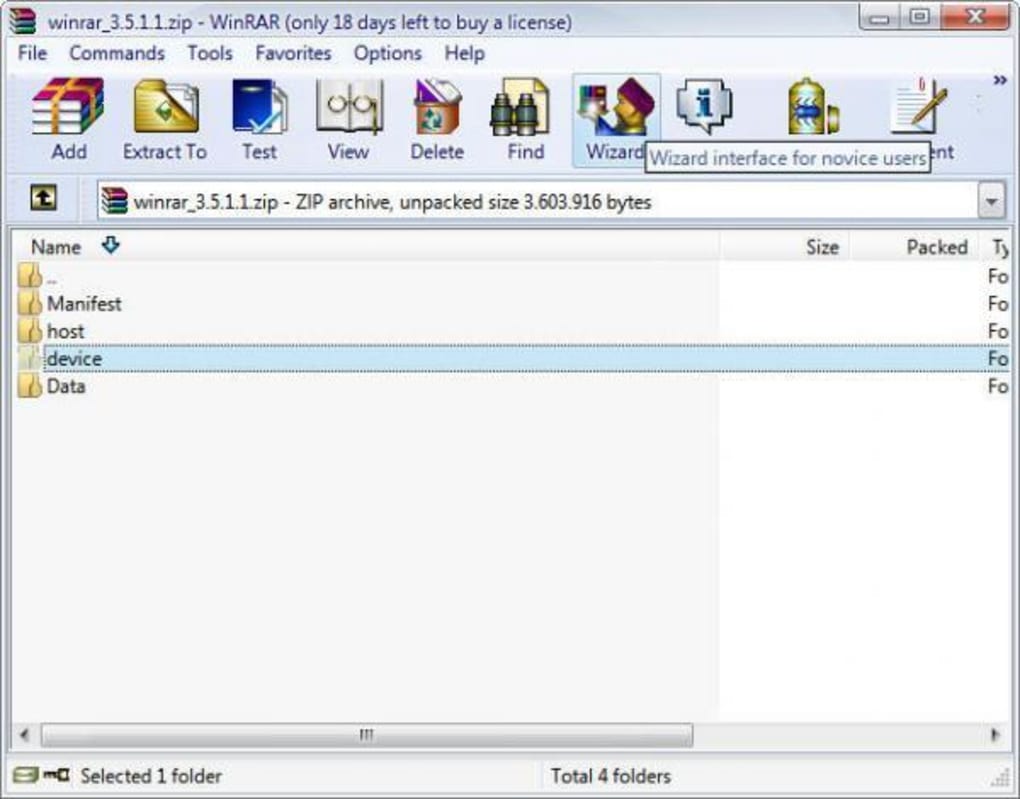
If you prefer a portable version, such as WinRAR for U3, simply extract the ZIP file to a USB drive or any folder on your computer. No installation is required, so you can use it on any Windows machine without leaving traces. This makes it perfect for use in shared environments like libraries, offices, or school labs. Once launched, the interface is clean and user-friendly, with clear options for creating new archives, extracting files, or repairing damaged ones.
To compress a file, right-click it, select “Add to archive,” choose the format (RAR or ZIP), set the compression level, and optionally add a password. For extraction, right-click the archive and choose “Extract Here” or “Extract to…” to specify a destination. WinRAR also supports batch operations, so you can process multiple files at once. The software automatically detects archive types, so you don’t need to worry about format compatibility. With regular updates and a reliable update system, WinRAR ensures you always have the latest security patches and performance improvements.
Compatibility & System Requirements – Works Across Devices
WinRAR is primarily designed for Windows operating systems, including Windows 95 and later versions such as Windows 10 and Windows 11. It supports both 32-bit and 64-bit architectures, ensuring broad compatibility across older and modern machines. While the original WinRAR for U3 is limited to Windows 95 and earlier, the current versions are fully optimized for today’s systems. For Mac users, RARLAB offers a separate version called WinRAR for Mac, which provides identical functionality with native macOS integration.
Additionally, WinRAR is available as a mobile app for Android and iOS, allowing users to manage archives on the go. The mobile versions support basic compression and extraction tasks, making it convenient to access files while traveling or working remotely. Whether you're using a desktop, laptop, tablet, or smartphone, WinRAR ensures consistent performance and file compatibility.
System requirements are modest, making WinRAR accessible even on older hardware. It runs efficiently on machines with as little as 128 MB of RAM and 10 MB of free disk space. The portable version is especially lightweight, requiring minimal storage, which is ideal for USB drives or low-capacity devices. With support for multiple languages—including English, Spanish, German, and Chinese—WinRAR caters to a global audience. Its cross-platform nature and low resource usage make it one of the most versatile file compression tools available today.
Pros and Cons of WinRAR – Honest Review
- Pros:
- High compression ratio with RAR format
- Supports multiple archive formats (RAR, ZIP, ISO, 7Z)
- Strong AES-256 encryption for secure files
- Portable version available for USB use
- Self-extracting archive creation
- File splitting and recovery features
- Lightweight and fast performance
- Regular updates and excellent customer support
- Cons:
- Free trial version has limited features
- Full version requires a paid license for commercial use
- Interface may feel outdated to some users
- Mobile versions lack advanced features
- Not natively available on Linux (though third-party tools exist)
Frequently Asked Questions (FAQ)
Is WinRAR free to download?
Yes, WinRAR offers a free trial version that allows full functionality for 40 days. After the trial, you’ll need to purchase a license for continued use. However, the trial is ideal for testing features and evaluating the software before committing.
Can I use WinRAR on Mac and Linux?
Yes, WinRAR is available for Mac users through a dedicated version. For Linux, while there’s no official GUI version, you can use the command-line tool unrar and rar to manage archives.
How do I create a password-protected archive?
Right-click the file or folder, select “Add to archive,” choose RAR or ZIP format, then go to the “Advanced” tab and set a password under “Encryption.” Confirm the password and proceed.
Does WinRAR support large files?
Yes, WinRAR supports files larger than 4 GB and allows splitting archives into smaller parts using the “Split to volumes” option. This is useful for uploading to services with size restrictions.
Can I extract RAR files without installing WinRAR?
Yes, you can use the portable version or third-party tools like 7-Zip, which can extract RAR files without installing WinRAR. However, WinRAR offers the most reliable and complete support for RAR archives.
Final Verdict: Why You Should Download WinRAR Today
WinRAR remains one of the most trusted and widely used archiving tools in the world. Its combination of high compression, strong security, and cross-platform support makes it a must-have for anyone dealing with files regularly. Whether you're compressing large projects, securing sensitive data, or sharing files across devices, WinRAR delivers reliable performance with minimal hassle.
With a user-friendly interface, powerful features like file splitting and recovery, and ongoing updates, it’s clear why WinRAR continues to lead the market. The portable version is especially valuable for users who need flexibility and privacy. While the full version requires a license for commercial use, the free trial gives you ample time to explore all capabilities.
Don’t miss out on this essential tool. Download WinRAR now and streamline your file management with a secure, fast, and professional-grade archiving solution.







